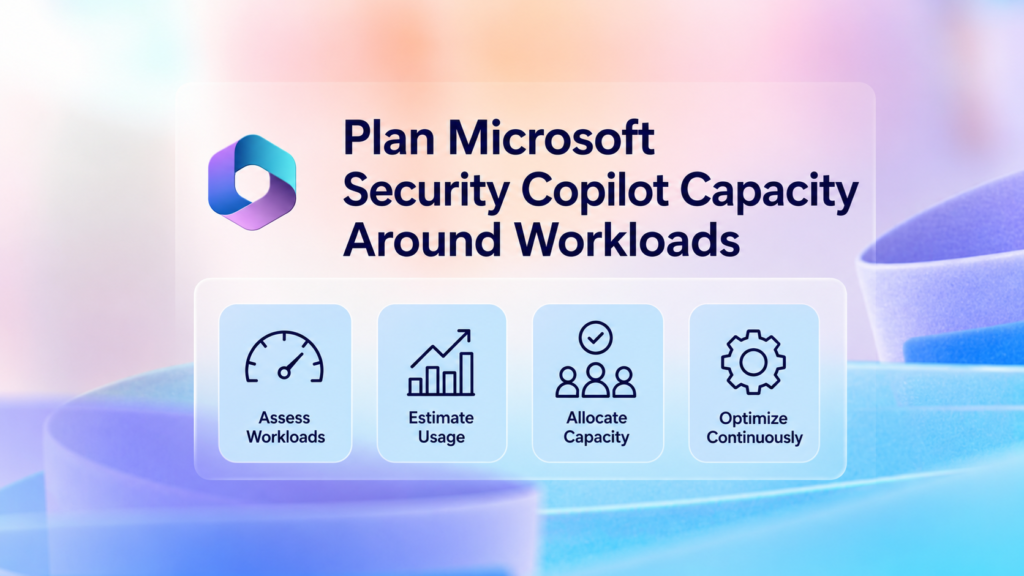
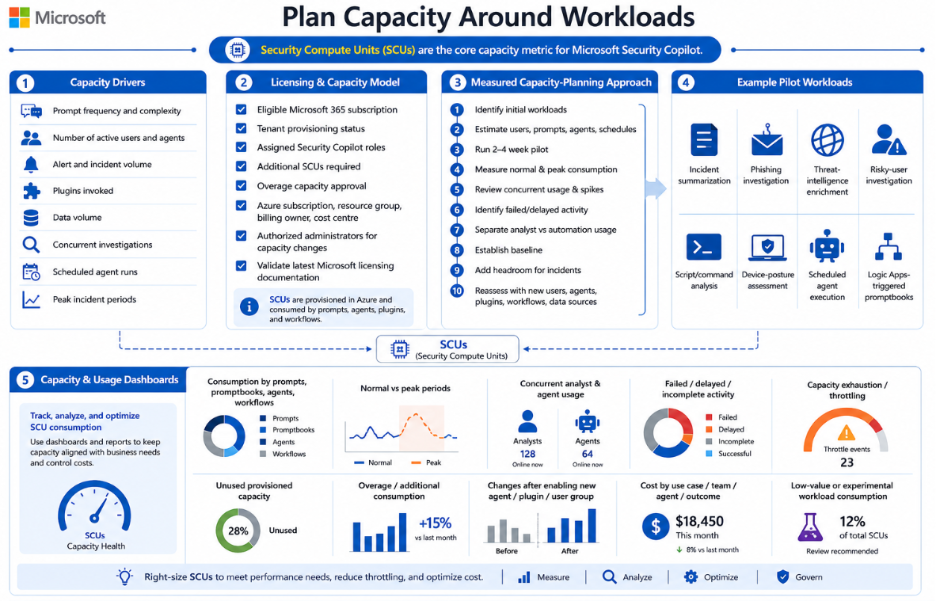
Security Copilot capacity is measured in Security Compute Units.
Capacity consumption depends on:
- Prompt frequency and complexity.
- Number of active users and agents.
- Alert and incident volume.
- Plugins invoked.
- Data volume.
- Concurrent investigations.
- Scheduled agent runs.
- Peak incident periods.
Confirm the licensing and capacity model
Security Copilot availability and capacity depend on the organization’s current Microsoft licensing and capacity model.
Before deployment, confirm:
- Whether the tenant is entitled to Security Copilot through an eligible Microsoft 365 subscription.
- Whether Security Copilot has already been provisioned or enabled in the tenant.
- Which users or groups received Security Copilot roles.
- Whether additional provisioned Security Compute Units are required.
- Whether overage capacity is permitted and financially approved.
- Which Azure subscription, resource group, billing owner, and cost centre will own billable capacity.
- Which administrators are authorized to increase, reduce, or remove capacity.
Because licensing, included capacity, provisioning, and overage terms may change, organizations should validate the latest Microsoft licensing and capacity documentation during design and before production rollout.
Use a measured capacity-planning approach
Security Copilot should be sized through measured pilot usage rather than employee count or an assumed SCU-per-prompt formula.
A practical sizing approach is:
- Identify the initial Security Copilot workloads.
- Estimate the expected number of users, prompts, promptbooks, agents, and scheduled executions.
- Run a representative pilot for two to four weeks.
- Measure normal and peak capacity consumption.
- Review concurrent usage and incident-spike behavior.
- Identify failed or delayed activity caused by insufficient capacity.
- Separate interactive analyst usage from scheduled agent and automation consumption.
- Establish an operational baseline.
- Add approved headroom for major incidents and peak periods.
- Reassess capacity whenever new users, agents, plugins, workflows, or data sources are introduced.
Example pilot workloads may include:
- Incident summarization.
- Phishing investigation.
- Threat-intelligence enrichment.
- Risky-user investigation.
- Script and command analysis.
- Device-posture assessment.
- Scheduled agent execution.
- Logic Apps-triggered promptbooks.
Capacity and usage dashboards should be reviewed for:
- Consumption by interactive prompts, promptbooks, agents, and automated workflows.
- Normal versus peak consumption periods.
- Concurrent analyst and agent usage.
- Failed, delayed, or incomplete activity.
- Capacity exhaustion or throttling.
- Unused provisioned capacity.
- Overage or additional consumption.
- Consumption changes after enabling a new agent, plugin, or user group.
- Cost by use case, team, agent, or operational outcome.
- Capacity consumed by low-value or experimental workloads.
You’ve finished this article. Continue with Adopt Microsoft Security Copilot Through a Controlled Rollout to learn the next step.