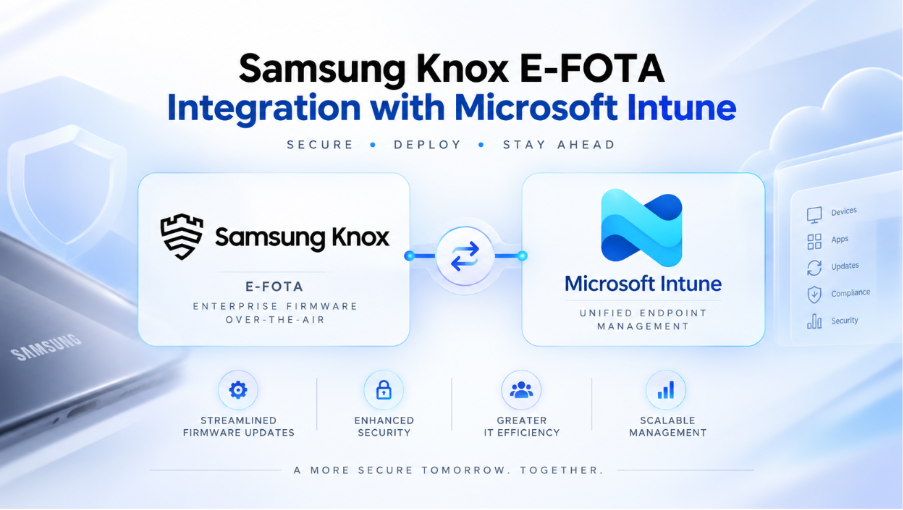
A practical guide for managing Samsung firmware updates, OS version control, and update campaigns directly from the Microsoft Intune admin center.
Introduction
Keeping Android devices on approved firmware is a key part of enterprise mobility security and application stability. Samsung Knox E-FOTA gives IT administrators controlled firmware management for Samsung Galaxy devices, including the ability to select target firmware versions, define update windows, reduce user disruption, and avoid unplanned OS changes that could affect business applications.
The integration between Samsung Knox E-FOTA and Microsoft Intune brings firmware campaign creation, targeting, monitoring, and device registration into the Intune admin center. This allows organizations already managing Android Enterprise devices with Intune to use existing device groups and operational workflows while adding Samsung firmware control through Knox E-FOTA.
What is Samsung Knox E-FOTA?
Samsung Knox E-FOTA, or Enterprise Firmware-Over-The-Air, is a Samsung Knox service that allows organizations to remotely manage firmware and operating system update behavior on supported Samsung enterprise devices. Instead of allowing devices to update only through the standard consumer update flow, IT can select approved firmware versions, hold devices on a validated version, schedule updates during defined maintenance windows, and roll out updates in phases.
Before You Start
| Requirement | Details |
| Supported platform | Android Enterprise devices enrolled in Microsoft Intune, including corporate-owned dedicated, corporate-owned fully managed, and corporate-owned with work profile enrollment scenarios. |
| Supported devices | Samsung Knox-supported Samsung Galaxy devices. Confirm firmware support and regional/carrier availability before production deployment. |
| Licensing | A valid Samsung Knox E-FOTA license is required. Microsoft Intune service licensing is also required, with Microsoft 365 E3 or higher referenced for the integration. |
| Tenant prerequisites | Managed Google Play must be configured in the Intune tenant, and Android Enterprise enrollment must already be operational. |
| Samsung prerequisites | A Samsung Knox administrator account and Knox E-FOTA tenant configuration are required to connect Samsung Knox services with Microsoft Intune. |
| Administrator permissions | Use appropriate Intune administrator permissions for connector setup, Android FOTA management, mobile app deployment, and device configuration policy management. |
| Required apps | Deploy the Knox E-FOTA app and Knox Service Plugin from Managed Google Play to the target device group. Dedicated device scenarios may also require Samsung system apps such as Knox E-FOTA Plugin and Knox Container Core. |
| Network access | Ensure Samsung Knox and Microsoft Intune service endpoints are reachable through the corporate network, proxy, VPN, or security stack. |
Recommended Intune Configuration
| Design Area | Recommendation | Notes |
| Connector model | Connect Samsung Knox E-FOTA with Microsoft Intune so firmware campaigns can be managed from the Intune admin center. | This reduces console switching and keeps device targeting aligned with Intune groups. |
| Targeting | Use dedicated Microsoft Entra device groups for Samsung devices managed by Knox E-FOTA. | Group membership controls registration and campaign targeting. When devices move between groups, firmware assignment should follow the group design. |
| Firmware strategy | Define approved firmware versions for pilot, business validation, and production rings. | Avoid broad automatic deployment of unvalidated Android updates where business-critical apps or kiosk scenarios are present. |
| Update scheduling | Use maintenance windows and deployment conditions such as battery threshold where available. | Schedule downloads and installations outside critical business hours to reduce interruption. |
| Application readiness | Validate line-of-business apps, kiosk apps, VPN, certificates, compliance behavior, and security controls before production rollout. | Firmware updates can introduce OS behavior changes that affect enterprise applications. |
| User experience | Configure postponement and enforcement behavior based on risk, patch criticality, and operational windows. | Critical security updates may require tighter enforcement than routine update campaigns. |
| Lifecycle handling | Document what happens when devices are removed from Intune, retired, replaced, or moved out of Knox E-FOTA scope. | Maintain operational alignment between Intune enrollment state and Knox E-FOTA registration status. |
How to Configure Knox E-FOTA with Intune
Create a controlled Knox E-FOTA operating model in Microsoft Intune by connecting the Samsung Knox E-FOTA service, registering eligible Samsung devices, deploying the required Samsung applications, and creating firmware update campaigns for pilot and production device groups.
| Step | Configuration Action |
| 1 | Confirm that Managed Google Play and Android Enterprise enrollment are configured in the Microsoft Intune tenant. |
| 2 | Ensure the organization has the required Samsung Knox E-FOTA license and a Samsung Knox administrator account. |
| 3 | Connect Samsung Knox E-FOTA with Microsoft Intune using the Samsung Knox and Intune connector workflow. |
| 4 | Create or identify a Microsoft Entra device group for Samsung devices that will be managed by Knox E-FOTA. |
| 5 | Add the Knox E-FOTA app and Knox Service Plugin from Managed Google Play in Intune. |
| 6 | Assign the required Samsung apps to the target device group as required apps. |
| 7 | Register eligible Samsung devices with Knox E-FOTA through the Intune integration. |
| 8 | Create an Android FOTA deployment campaign and select the approved firmware version for the target devices. |
| 9 | Configure campaign schedule, installation window, postponement behavior, and device conditions such as minimum battery level where required. |
| 10 | Assign the campaign to the pilot group first, monitor registration and deployment status, and expand only after validation is complete. |
Creating and Managing Firmware Campaigns
- Use a pilot-first campaign model to validate the target firmware version on a small set of representative Samsung devices.
- Keep production devices on the current approved firmware until application, kiosk, network, certificate, and compliance validation is complete.
- Schedule firmware download and installation windows during planned maintenance periods or outside business-critical usage hours.
- Define user postponement limits only where business requirements allow user flexibility.
- For critical security fixes, use a shorter validation cycle and controlled enforcement to reduce exposure while maintaining operational predictability.
- Monitor campaign status, device registration status, and installation outcomes from Intune during and after rollout.
Operational Best Practices
Knox E-FOTA should be treated as a controlled firmware governance capability, not only as a patch deployment tool. The recommended operating model is to define approved firmware baselines, validate new firmware versions against business applications and device use cases, and then deploy updates in staged rings. This is especially important for frontline, kiosk, shared, rugged, or line-of-business Android devices where unexpected OS behavior changes can disrupt operations.
Use Microsoft Intune groups as the primary targeting model for Knox E-FOTA campaigns. Keep device registration, application deployment, firmware campaigns, and compliance reporting aligned to the same device grouping strategy. Restrict connector setup and campaign management to approved administrators, document firmware approval decisions, and maintain an operational rollback or hold process where a firmware version causes application or device behavior issues.
Validation Checklist
| Validation Area | Expected Result | Status |
| Tenant readiness | Managed Google Play, Android Enterprise enrollment, and Intune device management are already configured. | Pending |
| Licensing readiness | Samsung Knox E-FOTA licensing is available and assigned as required for the target device fleet. | Pending |
| Connector status | Samsung Knox E-FOTA is successfully connected with Microsoft Intune. | Pending |
| Required app deployment | Knox E-FOTA and Knox Service Plugin are deployed as required apps to the target Samsung device group. | Pending |
| Device registration | Eligible Samsung devices show registered or ready status for Knox E-FOTA management. | Pending |
| Firmware campaign | Pilot campaign is created with the approved firmware version, schedule, and installation controls. | Pending |
| Deployment outcome | Target devices download and install the approved firmware during the configured window. | Pending |
| Business validation | Line-of-business apps, kiosk behavior, VPN, certificates, compliance, and security controls continue to work after update. | Pending |
Monitoring Knox E-FOTA Deployment
- Monitor the Samsung Knox E-FOTA connector status in the Intune admin center.
- Review device registration status to confirm that eligible Samsung devices are enrolled into Knox E-FOTA management.
- Track Android FOTA deployment campaign status for pending, in-progress, completed, failed, and not applicable devices.
- Validate app deployment status for Knox E-FOTA and Knox Service Plugin from Managed Google Play.
- Review device check-in, network availability, battery status, and maintenance window timing when firmware installation is delayed.
- Maintain a deployment summary by ring, firmware version, target group, known issues, and approval status.
Common Issues and Troubleshooting
| Issue | Likely Cause | Recommended Action |
| Device does not register with Knox E-FOTA | Device is not eligible, not in the assigned group, missing required apps, or Samsung Knox connectivity is blocked. | Confirm device model support, Intune enrollment state, group membership, Managed Google Play app deployment, and Samsung Knox network access. |
| Knox E-FOTA app is not installed | Managed Google Play is not configured correctly, app assignment is missing, or device has not checked in. | Validate Managed Google Play connection, assign Knox E-FOTA and Knox Service Plugin as required apps, then sync the device. |
| Firmware version is not available | Firmware availability can depend on device model, region, carrier, and Samsung release availability. | Confirm supported firmware for the exact device model and region before defining the campaign. |
| Campaign does not start | Schedule window has not started, device is offline, battery or network conditions are not met, or device is outside the target group. | Review campaign schedule, device check-in time, battery condition, network connectivity, and group membership. |
| Firmware installation fails | Insufficient battery, device storage, network instability, user postponement, or incompatible firmware selection. | Review device status, retry within a valid maintenance window, validate firmware compatibility, and confirm installation prerequisites. |
| Business app issue after update | New firmware introduced OS or security behavior changes affecting application compatibility. | Pause broader rollout, validate the issue on pilot devices, engage application owners, and update the approved firmware baseline only after remediation. |
Rollout Approach
Use a phased rollout model for Knox E-FOTA. Start with a small IT pilot group containing representative Samsung devices and validate registration, required app deployment, firmware campaign behavior, and post-update application functionality. After successful pilot validation, expand to a controlled business pilot and then to production rings. For production, align firmware update windows with service desk readiness, communications, maintenance periods, and compliance reporting expectations.
Final Thoughts
Samsung Knox E-FOTA integration with Microsoft Intune provides a practical way to manage Samsung firmware updates from the same console used for Android Enterprise device management. It helps organizations control when firmware is deployed, which version is approved, and how update campaigns are targeted and monitored. For best results, use the integration with a structured firmware governance process that includes pilot validation, application readiness testing, staged deployment rings, and clear operational ownership.
References: Samsung Knox E-FOTA now integrated with Microsoft Intune; Integrate Samsung Knox E-FOTA with Microsoft Intune; How to configure Knox E-FOTA on Microsoft Intune.