Artificial intelligence is rapidly becoming part of modern business applications. For Laravel teams, the engineering challenge is not simply connecting to an AI provider; it is designing an application architecture in which AI behavior, data, tools, security and business workflows work together.
Architecture Flow
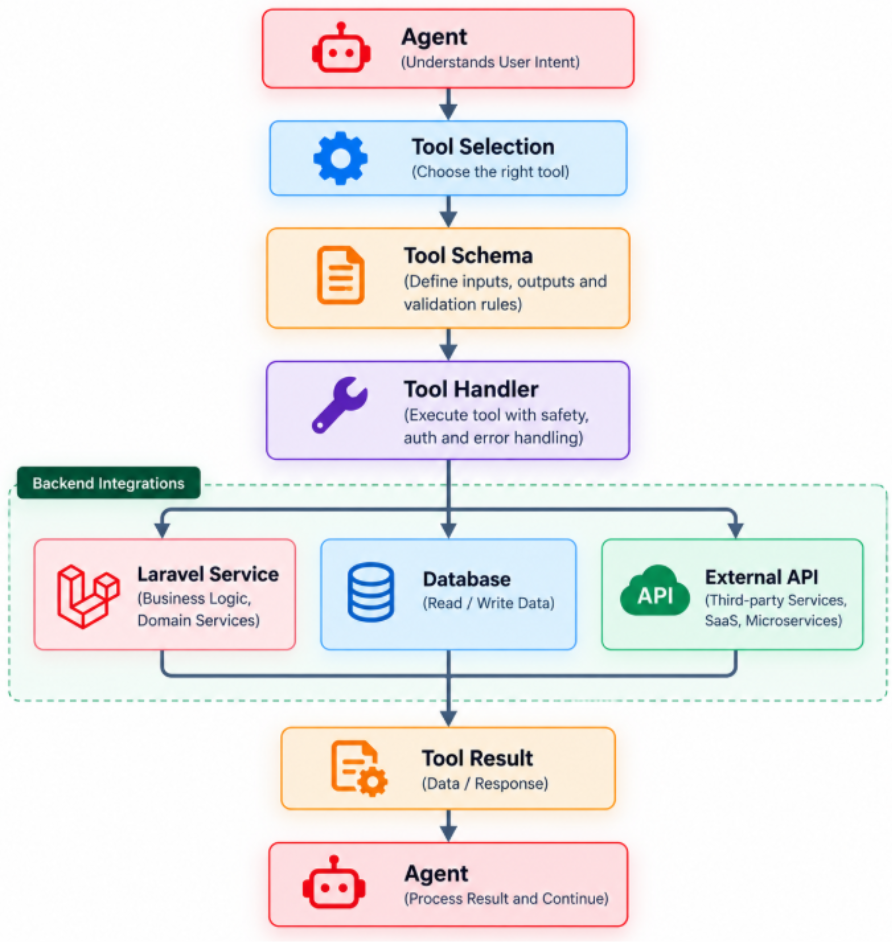
Figure — Laravel AI Tools: Connecting AI Agents to Enterprise Applications architecture flow
Introduction
A model can generate text, but enterprise AI applications often need access to real application capabilities. Tools provide the bridge between an AI agent and those capabilities.
Examples from the source guide include customer lookup, order lookup, shipment status, knowledge-base search and support-ticket creation.
What Is an AI Tool?
A tool is a controlled application capability exposed to an agent through a defined interface. The tool has an input schema, a handler and a result.
The handler can call a Laravel service, database or external API and return the information or result needed by the agent.
Tool Architecture
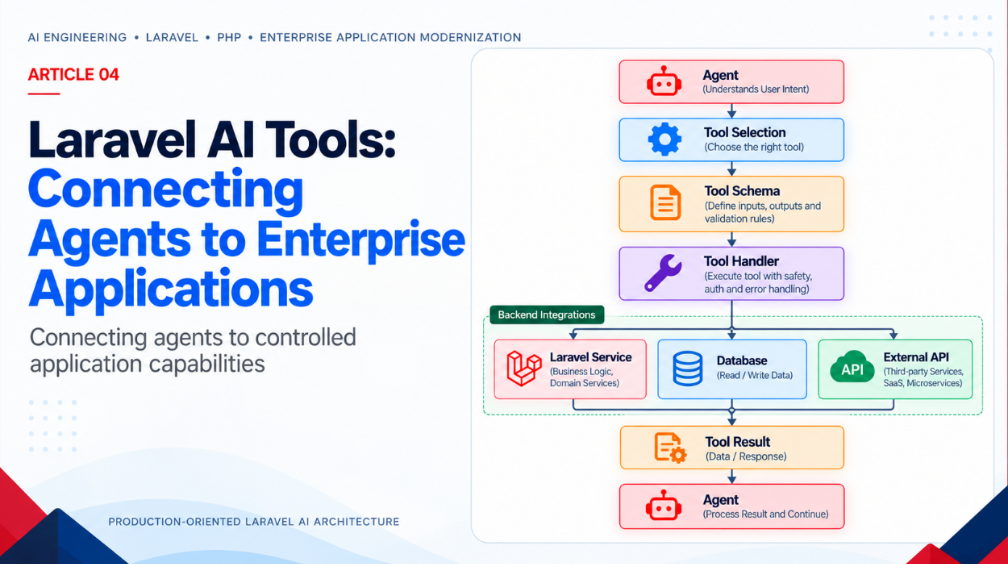
The source flow is Agent → Tool Selection → Tool Schema → Tool Handler → Laravel Service/Database/External API → Tool Result → Agent.
This separation makes it possible to test the tool independently of the model.
Read and Write Tools
Read tools may retrieve customers, orders, documentation or account information. Write tools may create tickets, update records or initiate workflows.
Write and sensitive operations should receive additional authorization and validation because AI output can be incorrect or manipulated.
Least-Privilege Tool Design
An agent should not have access to every application operation. The source guide recommends explicitly defining which tools are available, accepted inputs, authorized users, accessible data, approval requirements and failure behavior.
This creates a security boundary around what AI-assisted workflows can request.
Tool Failures
External APIs can time out, records may not exist and business rules can reject an operation. Tools should return controlled errors rather than allowing an AI workflow to assume success.
The agent can then explain the outcome or request another controlled action.
Enterprise Integration Patterns
Tools can connect AI agents to CRM systems, order systems, ITSM platforms, knowledge repositories, databases and internal APIs. The AI layer should orchestrate these capabilities rather than replace the systems of record.
Key Takeaways
Tools connect AI reasoning to real application capabilities.
Define schemas and handlers clearly.
Apply least privilege and authorization.
Validate every business-critical operation.
Production Implementation Pattern
- Define tool schema.
- Implement a deterministic handler.
- Enforce authorization.
- Return controlled success/error results.
- Audit sensitive operations.
Frequently Asked Questions
What can Laravel AI tools connect to?
The source guide describes connections to Laravel services, databases, external APIs and application capabilities.
Should every tool be available to every agent?
No. Tool access should be restricted according to the agent’s responsibility and user authorization.
Can tools be tested separately?
Yes. Separating the tool handler from the model makes independent testing practical.
Build Your AI-Powered Laravel Application with DeepCoder
AI adoption is moving from experimentation toward production application architecture. Organizations need more than an AI model; they need application engineering, AI integration, security, cloud infrastructure, data architecture, governance and operational expertise.
DeepCoder helps organizations design, develop and modernize enterprise applications with AI engineering, Laravel/PHP development, enterprise integrations and production-oriented architecture.
Talk to DeepCoder • [email protected] • www.DeepCoder.io
Recommended Reading in This Laravel AI Series
Editorial note: This article is derived from the DeepCoder Laravel AI SDK Production Guide and preserves its production-oriented architecture, terminology and flow diagrams.